TL;DR:
- Google Maps suits daily driving and store discovery efficiently.
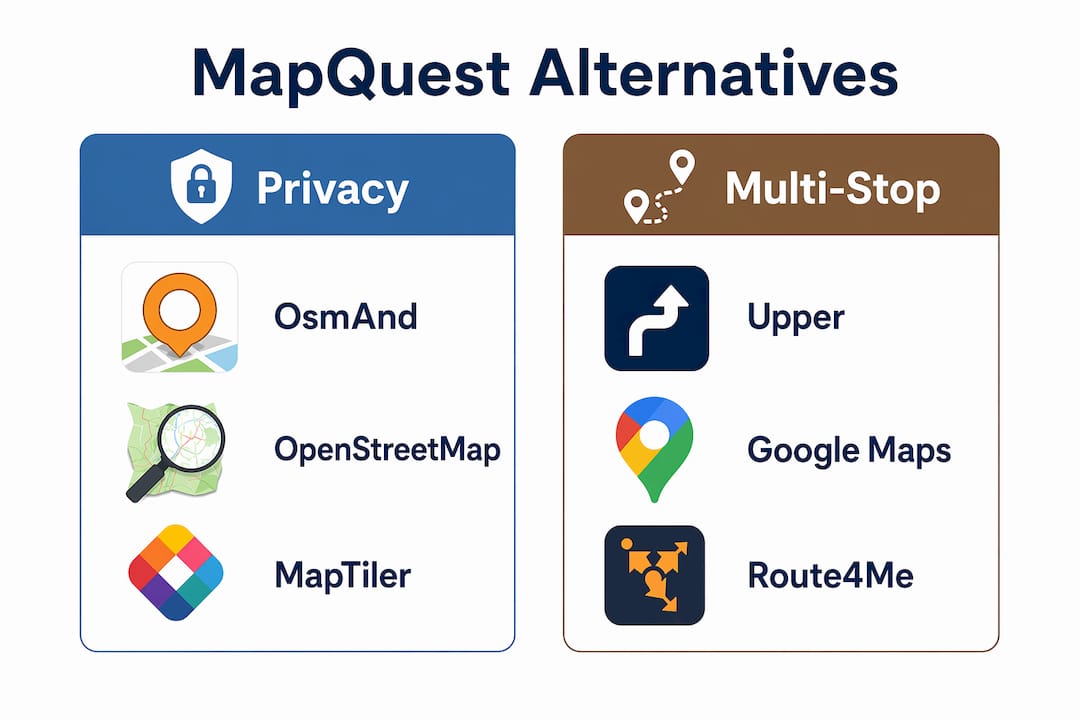
- OsmAnd and MAPS.ME offer offline navigation and privacy-focused features for travel.
If you need a MapQuest replacement today, here is the short answer: use Google Maps for everyday driving and local business discovery, OsmAnd or MAPS.ME for offline and privacy-first navigation, and Upper for multi-stop delivery runs. Those three cover the most common needs for coffee shoppers and small shop owners alike.
Quick picks by use case:
- Everyday driving and store discovery: Google Maps (free, cross-platform, massive POI database)
- Community traffic alerts: Waze (crowd-sourced speed traps and incident reports)
- iPhone and CarPlay users: Apple Maps (native iOS integration, no setup required)
- Privacy and offline travel: OsmAnd or MAPS.ME (both built on OpenStreetMap data, fully offline)
- Multi-stop delivery or pickup routes: Upper (free tier supports up to 20 stops)
- Large fleet logistics: Route4Me or Logistia (enterprise constraints, proof of delivery)
TL;DR: Privacy or offline first? Pick OsmAnd. Running deliveries with multiple stops? Start with Upper’s free plan. Everything else? Google Maps handles it.
Table of Contents
- How these MapQuest substitutes compare at a glance
- Zscoffee has the gear for wherever your route takes you
- Key Takeaways
How these MapQuest substitutes compare at a glance
| App | Best for | Platforms | Offline maps | Multi-stop / optimizer | Privacy / open-source | Price | Data source |
|---|---|---|---|---|---|---|---|
| Google Maps | Everyday driving, POI search | iOS, Android, Web | Limited | Basic (up to 9 stops) | Proprietary, data collected | Free | Google proprietary |
| Waze | Real-time traffic alerts | iOS, Android | No | No optimizer | Proprietary | Free | Community + Google |
| Apple Maps | iPhone / CarPlay users | iOS, macOS, Web | Partial | No optimizer | Proprietary | Free | Apple proprietary |
| OsmAnd | Privacy, offline, GPX power users | iOS, Android | Full region downloads | Limited multi-stop | Open-source (OSM) | Free / paid | OpenStreetMap |
| MAPS.ME | Offline travel, data-free trips | iOS, Android | Full region downloads | Basic | Open-source (OSM) | Free | OpenStreetMap |
| Upper | Small delivery teams | iOS, Android, Web | No | Up to 20 stops (free) | Proprietary | Free / subscription | Commercial |
| Route4Me | Large fleets, enterprise logistics | iOS, Android, Web | No | Unlimited (paid) | Proprietary | Subscription | Proprietary |
| Logistia | Delivery teams, proof of delivery | iOS, Android, Web | No | Multi-stop + constraints | Proprietary | Subscription | Proprietary |
A few things worth noting: Upper’s free route planner is the only option here with a no-cost multi-stop optimizer — the free plan allows up to 20 stops, which covers most small coffee delivery runs. OsmAnd and MAPS.ME are the only two with full offline downloads via OpenStreetMap, which matters on road trips or tasting tours with spotty cell service. Google Maps caps unoptimized stops at roughly nine, which is fine for a quick shopping errand but breaks down fast for real delivery work.
How to choose the right app
- Count your stops. One or two? Any free consumer app works. Five or more on a regular route? You need Upper, Route4Me, or Logistia.
- Check offline needs. Traveling somewhere rural or internationally? Download OsmAnd or MAPS.ME before you leave.
- Test traffic accuracy in your area. Interface similarity masks real differences in how apps source traffic data — run a week of real commutes before committing.
- Watch for hidden costs. Route4Me and Logistia charge per driver or per month; confirm the tier before onboarding a team.
Red flags: no offline mode for a travel-heavy use case, stop limits buried in fine print, and apps that require a credit card just to test the free tier.
Migrating saved routes: Google Maps lets you export saved places via Google Takeout. OsmAnd supports GPX import and export natively. For KML files, Google My Maps is the cleanest bridge between platforms.
Pro Tip: If you run a local coffee delivery route, load your stop list into Upper once, export the optimized route as a link, and share it with your driver. No subscription needed for under 20 stops.
Zscoffee has the gear for wherever your route takes you
None of the apps above sell you the coffee for the trip. Zscoffee does. Whether you are heading out on a weekend tasting run or stocking up before a long drive, Zscoffee’s specialty coffee and brewing accessories ship directly to you with regional currency options and international delivery.
Grab a travel mug built for the road, single-origin beans for the destination, or brewing gear for the shop. Browse the full catalog at Zscoffee and have everything ready before you hit the road.
Key Takeaways
Google Maps, OsmAnd, and Upper cover the three most common reasons coffee shoppers and small shop owners leave MapQuest: everyday routing, offline travel, and multi-stop delivery.
| Point | Details |
|---|---|
| Best for everyday driving | Google Maps offers the broadest POI database and works across iOS, Android, and web. |
| Best for offline and privacy | OsmAnd and MAPS.ME both use OpenStreetMap data with full regional offline downloads. |
| Best free multi-stop optimizer | Upper’s free plan allows up to 20 stops, which covers most small delivery runs. |
| When to go enterprise | Route4Me and Logistia add proof of delivery and fleet constraints that consumer apps cannot match. |
| Zscoffee for the trip itself | Zscoffee ships specialty coffee, brewing accessories, and travel mugs for shoppers and drivers planning any route. |