TL;DR:
- A successful coffee menu begins with 8 to 12 focused drinks priced at 70 to 80% gross margin, designed for quick customer decisions. Regular testing and data analysis every 90 days help refine offerings, eliminate low-performing items, and optimize profitability. Proper menu design and POS configuration are essential to streamline operations, enhance customer experience, and maintain strong margins.
Setting a coffee menu is the process of selecting, pricing, designing, and organizing your drink and food offerings to maximize both customer satisfaction and shop profitability. Done well, your menu becomes your most powerful sales tool. Done poorly, it slows service, confuses customers, and erodes margins. This guide covers how to set a coffee menu from the ground up, including which core drinks to include, how to price for a 70 to 80% gross margin, how to design for fast scanning, how to configure your POS system, and how to test and refine your offerings using real sales data. Tools like Canva, Toast POS, and menu engineering frameworks all play a role in getting this right.
How to set your coffee menu: start with the right core drinks
A coffee menu is a strategic tool that balances profitability, customer variety, operational complexity, and staff training needs. The most common mistake new shop owners make is launching with too many drinks before their team has mastered the basics. Starting with a focused core gives your baristas speed and consistency, which directly affects customer experience.
The drinks that belong on every core menu are:
- Espresso (single and double shot)
- Americano (espresso plus hot water)
- Cappuccino (espresso, steamed milk, foam)
- Latte (espresso plus steamed milk)
- Flat white (ristretto shots, microfoam)
- Cold brew (slow-steeped, served cold)
- Drip coffee (batch-brewed, high volume)
- One non-coffee option such as a matcha latte or chai
Capping your initial menu at 8 to 12 items reduces training time and speeds up service. That number is not arbitrary. Every additional drink requires its own preparation steps, ingredient stock, and staff memory load. When you exceed that threshold before your team is ready, order times climb and error rates follow.
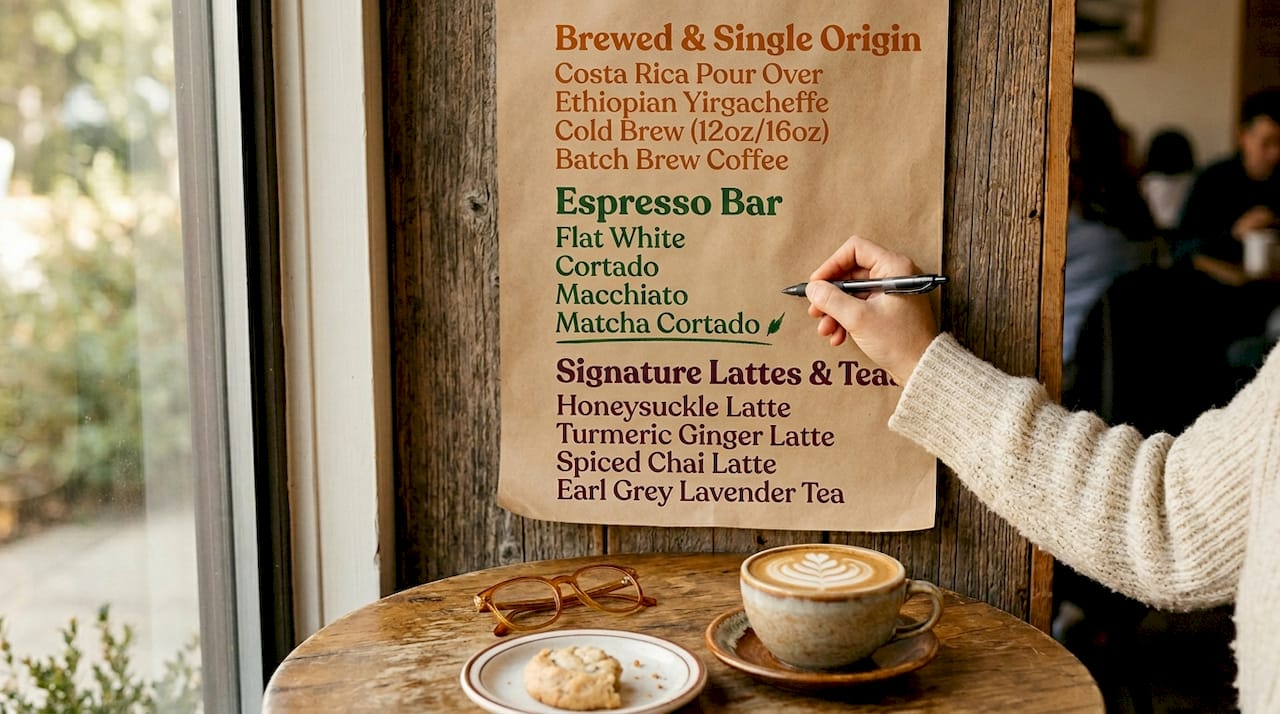
Add signature or specialty drinks only after your core is running smoothly. A seasonal item like a lavender latte or a house cold brew blend can differentiate your shop without overwhelming operations. Pair your drinks with two or three simple food items such as a croissant, a banana bread slice, and a granola bar. These add ticket value without requiring a full kitchen.
Pro Tip: Apply the “90-second rule” before adding any drink to your menu. If a trained barista cannot prepare it in under 90 seconds during a rush, it does not belong on your opening menu.
How to price coffee drinks for real profitability
Pricing espresso drinks with a gross margin target of 70 to 80% is the industry standard for sustainable coffee shop operations. That means if your latte costs $1.50 in ingredients, you price it between $5.00 and $7.50. A $6.50 latte with a $1.30 ingredient cost sits at exactly 80% gross margin, which leaves room to cover labor, rent, and equipment.
Here is how to calculate your price floor for any drink:
- Add up all ingredient costs: espresso shot, milk, syrup, cup, lid, sleeve
- Divide the total ingredient cost by 0.25 (for 75% gross margin) to get your minimum price
- Compare that number to local market rates and adjust upward if your positioning supports it
- Never price below your cost floor, even to match a competitor
Psychological pricing tactics matter more than most owners realize. Specialty coffee shops avoid 99-cent endings because they signal discount positioning, which undercuts premium brand perception. Prices ending in 5, 25, or 75 cents read as deliberate and confident. A $4.75 cortado feels considered. A $4.99 cortado feels like a gas station.
Bracket pricing across sizes also drives revenue. Offering a small, medium, and large with a $0.75 to $1.00 step between each size encourages upsizing without requiring your staff to push. Seasonal and specialty items should carry a $0.50 to $1.00 premium over their base equivalent. That premium is easy to justify when the item has a story or a limited window.
What does good coffee menu design actually look like?
Menus with 6 to 10 categories prevent decision fatigue and keep ordering fast. More than 15 espresso drinks on a single board overwhelm customers and slow the line. The goal of menu design is not to show everything you can make. It is to guide customers toward the items you most want to sell.
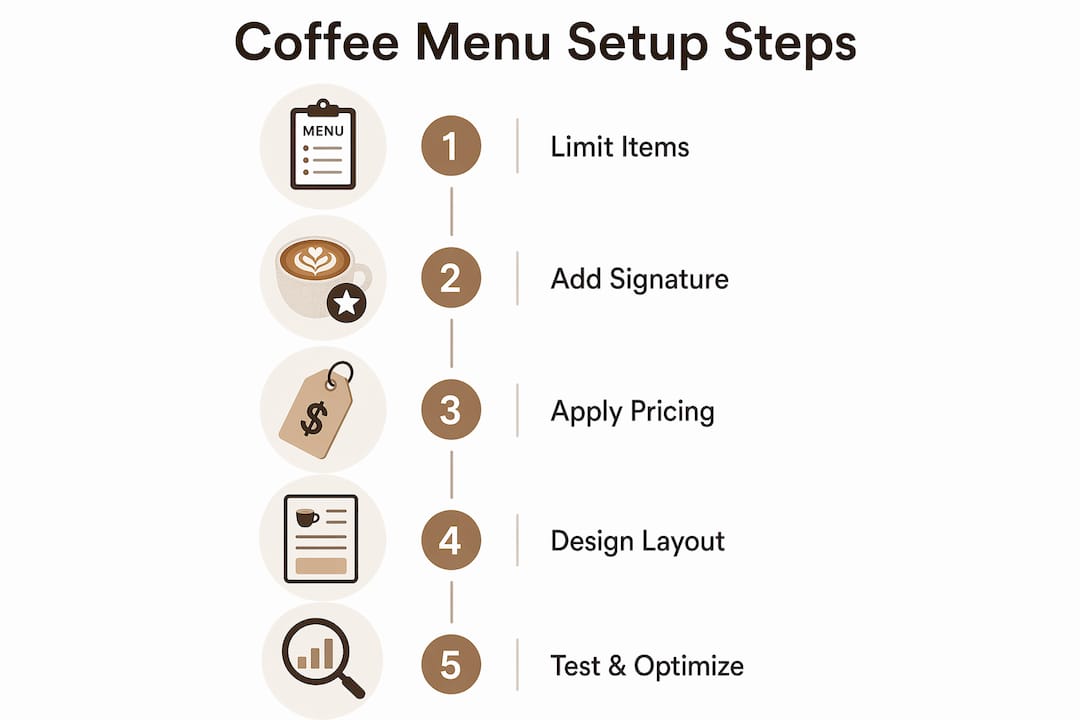
Effective menu design follows a clear hierarchy. Place your highest-margin, most popular drinks in the upper-left and center positions. These are the spots where eyes land first. Put your seasonal or featured items in a visually distinct box or with a subtle color highlight. Reserve the bottom-right corner for your lowest-margin items.
A strong header with your logo and tagline sets customer price perception before they read a single price. A clean, polished header makes a $5.50 latte feel reasonable. A cluttered, inconsistent header undercuts that value before the customer orders. This is why brand alignment in your menu design is not cosmetic. It is financial.
On the practical side, Canva offers free and paid menu templates that match most coffee shop aesthetics. Avoid right-aligning all your prices in a single column. That layout trains customers to scan prices first and choose the cheapest option. Instead, integrate prices naturally after each item description. Warm colors like amber, terracotta, and deep brown support a premium coffee environment. Avoiding clutter and minimizing price distractions steers customers toward more profitable items.
Pro Tip: Print your menu in a limited run of 10 to 20 copies before committing to a full production order. Test it with real customers for two weeks and note which items generate the most questions. Confusion at the counter is a design problem, not a customer problem.
For broader visual inspiration that connects your menu to your shop’s overall atmosphere, the coffee shop decor guide from Zscoffee covers how physical environment and menu presentation work together.
How to set up your coffee menu in a POS system
Configuring your POS system correctly is where menu strategy meets daily operations. A poorly set up POS creates barista errors, inaccurate sales reports, and inventory blind spots. Getting this right from day one saves hours of correction work later.
Follow these steps for a clean POS menu setup:
- Create individual menu items per size. A small latte, medium latte, and large latte should each be separate entries. Individual items per size improve order accuracy and enable size-specific sales tracking, which is critical for understanding what your customers actually buy.
- Build modifier groups for common add-ons. Create a “milk type” modifier group with options like whole milk, oat milk, almond milk, and soy milk. Create a separate “syrup” group with your available flavors. This keeps the ordering flow clean and consistent.
- Enable multi-select modifiers where appropriate. A customer ordering a latte might want both an extra shot and a syrup. Multi-select modifier groups handle this without requiring a custom item entry.
- Use duplicate modifiers strategically. If a customer wants double vanilla syrup, a duplicate modifier option prevents baristas from guessing or writing notes on cups.
- Connect your POS to inventory tracking. Proper POS setup with individual size items and modifiers improves staff efficiency and reporting accuracy, which feeds directly into your menu engineering decisions.
Toast POS is one of the most widely used systems in coffee shops and bakeries, and its documentation on menu configuration is worth reviewing in full before your first setup session.
How to test and optimize your menu over time
Launching a full menu without testing causes operational inefficiencies that compound quickly. The smarter approach is a structured test run followed by data-driven adjustments every 90 days.
Menu engineering classifies every item by two variables: profitability and popularity. The four categories are:
| Category | Profitability | Popularity | Action |
|---|---|---|---|
| Stars | High | High | Promote prominently, protect pricing |
| Plowhorses | Low | High | Reduce ingredient cost or raise price slightly |
| Puzzles | High | Low | Reposition, rename, or add a visual highlight |
| Dogs | Low | Low | Remove from menu at next review cycle |
Track sales per hour, waste per item, and customer questions per shift during your first 30 days. These three data points tell you more than any survey. If customers consistently ask what a drink is, the name or description needs work. If waste on a specific item is high, either the prep volume is wrong or the item is not selling.
Seasonal items timed mid-season maximize excitement and margin. A pumpkin latte launched in mid-September outperforms one launched October 1st because it captures the early adopter wave. Rotate two to three seasonal items per quarter and track whether they pull customers away from your Stars or add incremental orders.
Brutal simplicity is the direction specialty coffee is moving. Menus that require explanation alienate customers and slow service. If your barista has to describe a drink for more than 10 seconds, the menu item needs a clearer name or a one-line description added below it.
Understanding how your coffee shop concept shapes menu expectations is also worth revisiting as you optimize. A grab-and-go model needs a tighter menu than a sit-down specialty bar.
Key takeaways
A well-set coffee menu starts with a focused core of 8 to 12 drinks, priced at 70 to 80% gross margin, designed for fast scanning, and refined every 90 days using menu engineering data.
| Point | Details |
|---|---|
| Start with a focused core | Cap your opening menu at 8 to 12 items to reduce training time and speed up service. |
| Price for gross margin | Target 70 to 80% gross margin per drink and use psychological pricing endings like 5, 25, or 75. |
| Design for fast decisions | Use 6 to 10 categories, place high-margin items prominently, and avoid right-aligned price columns. |
| Configure your POS correctly | Create individual items per size and build modifier groups to reduce errors and improve reporting. |
| Optimize with real data | Use menu engineering to classify items as Stars, Plowhorses, Puzzles, or Dogs and review every 90 days. |
What I’ve learned from watching coffee menus succeed and fail
I have seen coffee shops open with 30-item menus and close within 18 months. I have also seen shops with 9 drinks and a rotating seasonal special build loyal followings and strong margins. The pattern is consistent enough to call it a rule: the shops that win are the ones that treat their menu as a living document, not a permanent statement.
The most common mistake is emotional attachment to drinks that do not sell. Owners keep a “Puzzle” item on the menu because they love it or because a friend suggested it. The data says remove it. The owner says “give it more time.” Six months later, the item is still there, still not selling, and still confusing new customers. Removing a Dog or a Puzzle is not failure. It is discipline.
Sales data is the most underused tool in independent coffee shops. Most owners look at total daily revenue. The ones who build durable businesses look at revenue per item, margin per item, and order frequency per item. That level of detail is only possible if your POS is set up correctly from the start.
Customer feedback matters, but it needs a filter. Customers will ask for things they will not actually order. Run a two-week trial on any new item before committing it to a permanent menu slot. If it does not hit your sales threshold in two weeks, it will not hit it in two months.
Treat your menu like a product, not a list. Every item on it is either earning its place or costing you money. Review it with that mindset every quarter and you will make better decisions than 80% of your competitors.
— zachary
Build a stronger menu with Zscoffee’s cold brew lineup
Cold brew is one of the highest-margin items you can add to a coffee menu, and sourcing quality cold brew concentrate is the fastest way to get it on your board without adding prep complexity. Zscoffee’s cold brew coffee is ready to serve and built for shop use, giving you a consistent product that holds its margin without demanding extra barista time. Beyond cold brew, the full coffee and tea range at Zscoffee covers the core and specialty options that complement any menu concept, from minimalist espresso bars to full-service café menus. Browse the range and find the products that fit the menu you are building.
FAQ
How many drinks should a coffee shop menu have?
Start with 8 to 12 drinks and add specialty items only after your core operations are running smoothly. More than 15 espresso drinks overwhelm customers and slow ordering.
What gross margin should I target for coffee drinks?
Target a gross margin of 70 to 80% per drink. A $6.50 latte with $1.30 in ingredient costs achieves 80% gross margin and covers labor, rent, and overhead.
How often should I update my coffee menu?
Review your menu every 90 days using sales data, waste tracking, and customer feedback. Rotate two to three seasonal items per quarter to keep the menu fresh and drive repeat visits.
What is menu engineering for coffee shops?
Menu engineering classifies each item by profitability and popularity into four categories: Stars, Plowhorses, Puzzles, and Dogs. This framework guides decisions on what to promote, reprice, reposition, or remove.
How do I set up coffee sizes in a POS system?
Create individual menu items for each size rather than using a single item with size modifiers. This approach improves order accuracy and enables size-specific sales reporting for better inventory and menu decisions.