TL;DR:
- A coffee menu creation workflow involves a structured process for designing and updating menu items to maximize profit and customer satisfaction. Implementing routine review cycles and disciplined recipe iteration leads to sustainable margins and a stronger business.
A coffee menu creation workflow is a structured, repeatable process for selecting, pricing, designing, and updating every item on your coffee shop menu to maximize both customer satisfaction and profit. Without a defined workflow, owners make reactive decisions that hurt margins and confuse customers. The most effective approach combines structured recipe development, menu engineering, and pricing psychology into a single repeatable system. Shops that follow this process target 70–80% gross margins on beverages, which is the industry benchmark for sustainable profitability.
What essential elements do you need before starting your coffee menu creation workflow?
The foundation of any strong menu creation process is knowing what you need before you write a single item down. Skipping this step leads to menus that look good but perform poorly at the register.
Core menu elements to define first:
- Anchor drinks: Your 5–8 signature coffee beverages that define your brand identity
- Complementary food items: Pastries, sandwiches, or snacks that pair naturally with your drinks
- Seasonal specials: 2–4 rotating items tied to the calendar or local trends
- Branding language: The tone, descriptors, and visual style that carry through every item name
Essential tools for the workflow:
- A menu engineering matrix to categorize items by sales volume and profit margin
- Recipe iteration logs to track every test batch and variable change
- A pricing calculator that works backward from your target food cost percentage
Pro Tip: Build your iteration log as a simple spreadsheet with columns for date, variable changed, result, and next action. This single habit separates professional recipe development from guesswork.
Digital menu management gives you one major advantage over print: instant updates. A digital menu format lets you swap a slow-selling item or adjust a price without reprinting anything. For shops that update frequently, this is not a luxury. It is a core operational tool.
| Tool | Purpose | When to Use |
|---|---|---|
| Menu engineering matrix | Rank items by profit and popularity | Quarterly review |
| Recipe iteration log | Track variable changes per test | Every recipe development session |
| Pricing calculator | Verify cost percentages before launch | Before adding any new item |
| Digital menu platform | Push updates without print costs | Ongoing, especially for specials |
How do you create and design your coffee menu step by step?
The coffee recipe development process follows a clear sequence. Jumping between steps creates inconsistency and makes it nearly impossible to identify what is working.
Step 1: Define your core drink list. Start with 5–8 coffee drinks that cover the major categories: espresso-based, brewed, cold, and blended. Each category serves a different customer and daypart. A focused list reduces training time and ingredient waste.
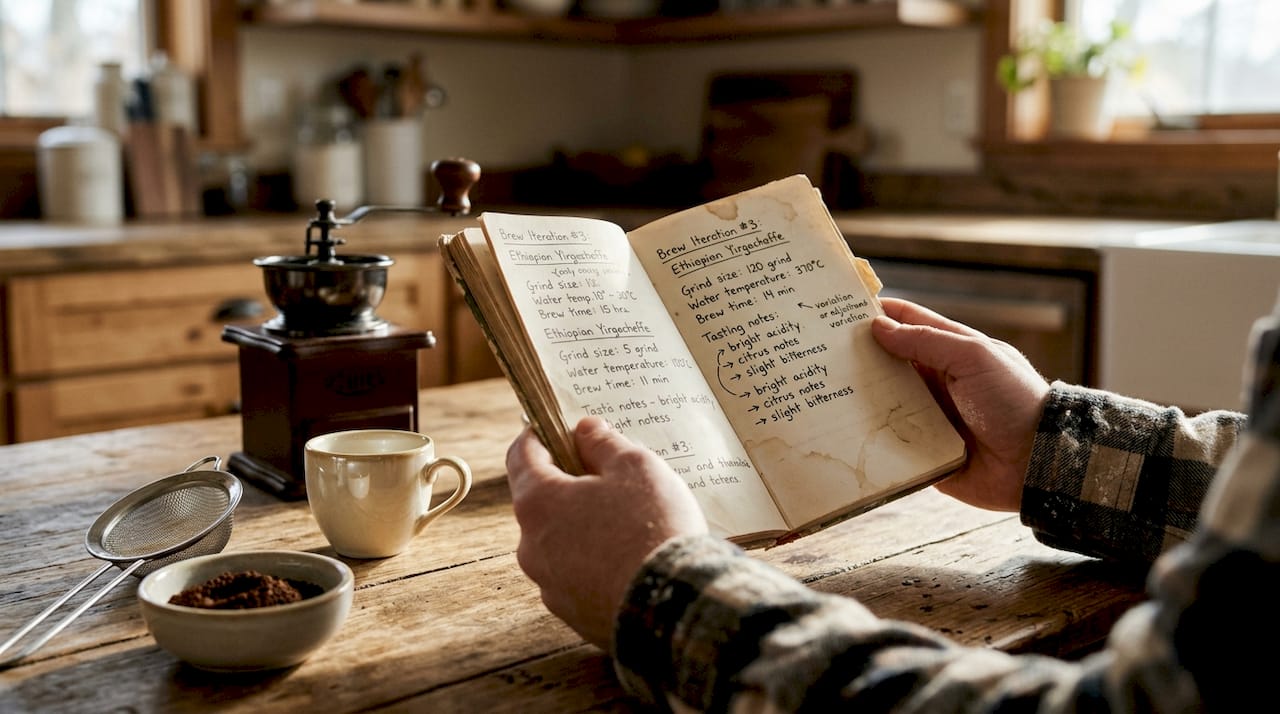
Step 2: Develop recipes with structured iteration. Professional recipe development requires 6–12 structured iterations per item. That number reflects how many test batches it typically takes to reach a repeatable, commercially viable recipe. The rule is non-negotiable: change only one variable per iteration. Adjust sweetness by a measurable increment, then test. Adjust grind size, then test again. Changing two variables at once makes it impossible to know which change caused the result. For deeper guidance on this technique, the coffee recipe variations guide from Zscoffee covers 12 specific brewing variables worth testing.
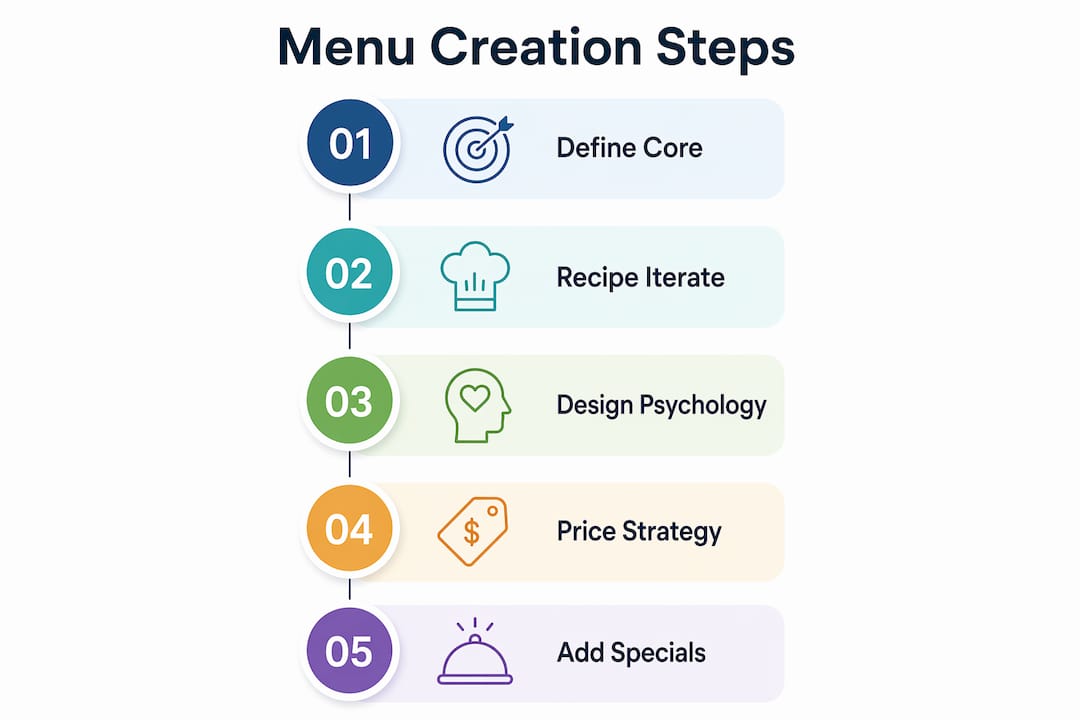
Step 3: Apply menu design psychology. Menu design is psychology, not decoration. Specific design choices drive higher-margin purchases without customers realizing it. Remove dollar signs from prices. Use decoy pricing by placing a high-priced item next to your target item to make it look like better value. Write descriptive sensory language: “slow-steeped cold brew with notes of dark chocolate” outperforms “cold brew coffee” every time. Warm colors like amber and brown increase dwell time and appetite. Item placement matters too. The top-right corner of any menu gets the most eye attention, so put your highest-margin item there.
Step 4: Set prices using cost targets. Ingredient costs should represent 20–30% of the sale price, leaving a 70–80% gross margin. That means a drink with $1.20 in ingredient costs should sell for at least $4.00. Psychological pricing at $4.25 or $4.75 performs better than round numbers. Avoid pricing below cost just to compete. Underpricing is the fastest way to build a busy shop that loses money.
Step 5: Add seasonal specials with intention. Seasonal items should complement your core menu, not compete with it. Limit specials to 2–3 items per season. Use them to test new flavor profiles before committing to a permanent slot. Visual content tied to seasonal specials, including photos and social posts, significantly increases trial rates.
Pro Tip: When writing menu descriptions, lead with the sensory experience before the ingredients. “Rich, velvety espresso over house-made caramel” sells better than “caramel latte.”
How do you test, optimize, and maintain your coffee menu?
A menu is never finished. The best coffee shop owners treat their menu as a living document that responds to sales data, customer behavior, and cost changes.
Running effective menu trials:
- Launch new items in a limited window, two to three weeks, before committing to a permanent slot
- Track sales volume per item daily, not weekly, during the trial period
- Measure waste percentage for each new item to catch over-preparation early
- Collect direct feedback from staff, who hear customer reactions in real time
The menu engineering matrix gives you a framework for acting on that data. It sorts every item into one of four categories:
| Category | High Profit | Low Profit |
|---|---|---|
| High Sales | Stars (keep and promote) | Plow Horses (reprice or reposition) |
| Low Sales | Puzzles (remarket or redesign) | Dogs (remove or replace) |
Stars get prime placement and featured descriptions. Plow Horses need a price increase or a cost reduction before they earn their spot. Puzzles are worth saving if you can find the right presentation. Dogs come off the menu.
The professional standard for menu review is a 90-day cycle. Every 90 days, you pull sales data, run the matrix, and make adjustments. Digital menus make this practical because you are not reprinting anything. Print menus make quarterly updates expensive, which is why many shops now use digital boards for specials and print menus only for their permanent core items.
AI tools have entered this space in a useful way. Digital assistants can test pricing copy, generate seasonal concept names, and model different price structures in hours rather than days. This does not replace your judgment. It accelerates the iteration cycle so you spend less time on drafts and more time on execution.
Pro Tip: Set a recurring calendar reminder every 90 days labeled “Menu Review.” Treat it like a financial audit. Pull your point-of-sale data the day before so you walk in ready to make decisions.
What common mistakes derail a coffee menu creation workflow?
Most menu problems trace back to a small set of repeatable errors. Knowing them in advance saves months of lost revenue.
-
Changing multiple recipe variables at once. This is the most common mistake in the coffee recipe development process. If you adjust grind size, water temperature, and dose in the same test, you cannot identify which change improved the cup. One variable per iteration is the rule.
-
Chasing a perfect brew time instead of taste balance. The real measure of a good recipe is the balance of acidity, sweetness, and bitterness in the cup, not hitting a specific extraction time. Brew time is a starting point, not a finish line.
-
Overloading the menu with too many items. A menu with 40 drinks sounds impressive. It creates long training cycles, higher ingredient costs, and slower service. Customers also take longer to decide, which reduces throughput during peak hours. Keep your permanent menu tight.
-
Underpricing to compete on price. Pricing below the 20–30% food cost target feels like a customer service move. It is actually a business risk. Customers rarely switch shops over a $0.50 price difference, but that $0.50 compounds across hundreds of transactions per week.
-
Creating visual clutter on the menu board. Too many fonts, colors, or item descriptions of unequal length make menus hard to scan. Customers default to familiar items when they feel confused, which kills your ability to introduce higher-margin new drinks.
“Menu design isn’t just listing items. It’s applying psychology to drive sales and margin through design and wording. Every font choice, price format, and item description is a decision that either earns money or loses it.”
Pro Tip: Before finalizing any menu layout, ask three people who have never seen it to point to the item they would order first. If they all point to a low-margin item, your design is working against you.
Key Takeaways
A disciplined coffee menu creation workflow, built on structured recipe iteration, menu engineering, and a 90-day review cycle, is the most direct path to higher margins and a stronger customer experience.
| Point | Details |
|---|---|
| Define core items first | Start with 5–8 anchor drinks before adding specials or food pairings. |
| Iterate recipes one variable at a time | Change only one element per test batch to identify what actually improves the recipe. |
| Use menu engineering to act on data | Sort items into Stars, Plow Horses, Puzzles, and Dogs every 90 days and adjust accordingly. |
| Price to hit 70–80% gross margin | Keep ingredient costs at 20–30% of sale price to maintain sustainable profitability. |
| Apply design psychology to every layout | Remove dollar signs, use sensory language, and place high-margin items in prime visual positions. |
Why most coffee menus underperform (and what I’ve learned from it)
The most common thing I see when a coffee shop owner says their menu “isn’t working” is a menu that was built by instinct rather than process. The drinks are good. The prices feel fair. But nothing was tested, nothing was tracked, and the layout was designed to look complete rather than to sell.
The single biggest shift I’ve seen owners make is committing to the iteration log. Not because it’s a magic tool, but because it forces you to slow down and treat recipe development like a discipline rather than a creative exercise. When you write down what you changed and what happened, you build a record that compounds over time. Six months in, you have a library of what works for your specific equipment, your water, and your customer base.
Menu design psychology is the second area where I see the most untapped potential. Owners spend hours perfecting a latte recipe and five minutes on the menu description. The description is what sells it. Sensory language, smart placement, and removing dollar signs are not tricks. They are the tools that turn a good menu into a profitable one. The 90-day review cycle feels like overhead until you run it once and see which items you were keeping out of habit rather than performance. That first review usually frees up margin immediately.
— zachary
How Zscoffee supports your menu development process
Building a menu that performs starts with having the right products behind the counter. Zscoffee carries a curated selection of coffee and tea products designed to give shop owners real options when crafting their beverage lineup.
If cold brew is on your menu or you are considering adding it, Zscoffee’s premium cold brew coffee is a ready-to-use option that removes the production complexity from your workflow. For owners looking to expand beyond espresso-based drinks, the coffee and tea collection covers a range of formats suited to both hot and cold menu builds. Every product ships directly, so you can test new menu additions without committing to large wholesale orders before you know what your customers will actually order.
FAQ
What is a coffee menu creation workflow?
A coffee menu creation workflow is a structured process for selecting, developing, pricing, and updating coffee shop menu items to maximize profitability and customer satisfaction. It includes recipe iteration, menu engineering, and regular review cycles.
How many items should a coffee shop menu have?
A focused coffee shop menu typically covers 5–8 core drinks plus a small selection of food pairings and 2–3 seasonal specials. Fewer items reduce training time, lower ingredient costs, and speed up service during peak hours.
How often should you update your coffee menu?
The professional standard is a 90-day review cycle, using sales data and the menu engineering matrix to adjust pricing, placement, and item selection. Digital menus make this practical without print costs.
What food cost percentage should coffee shops target?
Ingredient costs should represent 20–30% of the sale price, targeting a 70–80% gross margin on beverages. Pricing below this range puts long-term profitability at risk regardless of sales volume.
How many recipe iterations does a new coffee drink need?
Professional beverage recipe development typically requires 6–12 iterations per item, with only one variable changed per test. This discipline makes improvements identifiable and recipes repeatable at scale.